How to Convert Complex PDFs into Editable Word Files
Transform static PDF forms and contracts into editable DOCX files while retaining structural tables, headers, and typography without server uploads.
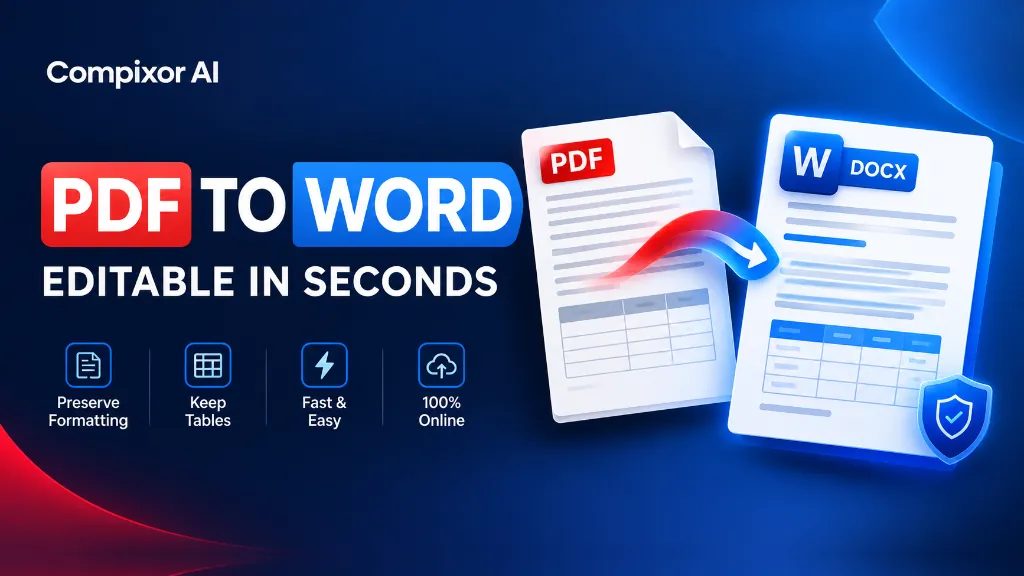
PDF is the world standard for reading and printing documents. However, editing text or updating tables inside a locked PDF is frustrating. Copying and pasting text into Microsoft Word often breaks formatting, scrambles tables, and jumbles columns. Compixor solves this problem directly in your browser. Our converter translates raw PDF code into real Microsoft Word (.docx) files. You get clean paragraphs, editable tables, and accurate fonts without sending your files to a cloud server.
Secure Server • Zero File Storage
Try the Free PDF to Word Converter
How Native OpenXML (.docx) Reconstruction Works
Inferior online converters take shortcuts by turning each line of text into an absolute-positioned floating text box. When you attempt to insert a sentence or edit a paragraph in Word, these text boxes overlap, collapse, and destroy your layout. Compixor's conversion engine analyzes document typography to assemble continuous semantic paragraphs, heading hierarchies, and genuine Word table cells:
- ✓Continuous Paragraph Reflow: Text flows naturally from sentence to sentence. When you add or delete words, lines re-align smoothly without overlapping.
- ✓True Table Preservation: Recognizes grid lines and cell positions. It converts them into real editable Word tables with intact rows, columns, and headers.
- ✓Heading & Style Matching: Reads font sizes, bold weights, and line spacing. It maps them directly to Word heading styles, body text, and bullet lists.
- ✓Inline Image Extraction: Extracts embedded graphics and positions them neatly beside paragraphs instead of floating erratically across pages.
Digital Vector PDFs vs. Scanned Raster PDFs: A Crucial Distinction
Before converting, understanding your PDF's internal format determines the required conversion workflow:
- ✓Digital Vector PDFs (Born Digital): Documents created in Word, Google Docs, Canva, or InDesign and saved as PDF. These contain real glyph codes and vector curves. They convert with near 100% precision into Word without OCR.
- ✓Scanned Image PDFs (Flattened Scans): Documents produced by physical scanner hardware or smartphone camera captures. These contain only a photograph of text. Standard converters cannot extract editable characters without an Optical Character Recognition (OCR) engine.
- ✓Hybrid PDFs: Documents with digital body text but scanned signatures or embedded receipts. Compixor handles hybrid files by keeping text editable while preserving bitmap signatures as embedded image objects.
Formatting Retention Capabilities & Matrix
What to expect when converting complex documents from PDF to Microsoft Word format:
| Document Element | Expected Conversion Fidelity | Recommended Adjustment |
|---|---|---|
| Standard Body Text & Paragraphs | 98% - 100% Native Reflow | None required; edits like standard Word doc |
| Multi-Column Tables & Financial Spreadsheets | 95% Native Table Matrix | Verify column widths if source had custom borders |
| Embedded Images & Brand Logos | 100% Resolution Retained | Images are anchored inline with paragraphs |
| Custom Fonts (Non-System Fonts) | Automated Fallback Matching | Replaces missing fonts with closest system equivalent (e.g. Arial, Times) |
| Complex Magazine Multi-Column Layouts | 85% Structural Flow | May simplify into sequential vertical text sections |
Note:Source files with embedded font descriptors achieve the highest fidelity. Documents with non-standard proprietary font encodings may undergo Unicode character normalization.
When to Convert to Word vs. When to Edit the PDF Directly
Choosing the right strategy based on your editing objective saves valuable time:
- ✓Convert to Word — Significant Content Rewrites: When you need to draft new clauses, update extensive terms, or add multi-paragraph commentary.
- ✓Convert to Word — Financial Spreadsheet Extraction: When you need to copy tabular balance sheets or invoice figures directly into Excel or editable reports.
- ✓Convert to Word — Team Collaboration: When multiple stakeholders need to review documents using Word's Track Changes and comment threads.
- ✓Edit PDF Directly — Minor Typo or Date Corrections: If you only need to fix a misspelled name or update a date stamp, modifying the PDF stream directly is faster than round-trip conversion.
- ✓Edit PDF Directly — Official Signed Certificates: Modifying agreements with digital cryptographic signatures in Word invalidates the digital signing certificate.
Step-by-Step Conversion Guide
Transform your documents into fully editable Word format in three rapid steps:
- 1Load Source Document: Drop your PDF file into the converter box. You can upload files from local storage, external drives, or mobile devices.
- 2Secure Server Conversion: The server-side OCR engine parses the PDF syntax tree, maps font encodings, and synthesizes an editable OpenXML document package in memory.
- 3Download & Edit in Word: Click Download DOCX. Open the file in Microsoft Word, Google Docs, Apple Pages, or LibreOffice Writer to edit text, format tables, and export freely.
Zero-Knowledge Data Privacy for Corporate Documents
Legal contracts, employment records, NDA drafts, and financial balance sheets represent the majority of documents converted to Word format daily. Traditional cloud converters upload these proprietary assets to remote cloud servers where they are subject to server caching and potential privacy exposure. Compixor operates with strict data confidentiality: documents are transmitted over encrypted HTTPS, converted in volatile server memory, and immediately deleted with zero permanent storage. No file data is retained, providing complete compliance with NDAs and privacy standards.
Related Companion Guide
How to Extract Text from an Image into Word →Experience Free PDF to Word Converter
Encrypted HTTPS transmission with zero permanent file storage, no watermarks, and no sign-up required.
Launch Tool in BrowserFrequently Asked Questions
Yes. Compixor exports standard .docx files (Office OpenXML), which are natively supported by Microsoft Word (2007–365), Google Docs, Apple Pages, and LibreOffice Writer.
Our parser detects vector lines and bounding boxes of text blocks. Rather than creating disjointed floating frames, it converts intersecting coordinates into genuine Word table cells with rows and columns.
Standard PDF to Word converters require selectable digital text. If your PDF is a scanned image, use our Image to Word (OCR) tool, which uses optical character recognition to extract text from bitmaps.
No. Because our conversion pipeline runs on dedicated high-speed in-memory workers, there are zero paywalls, zero daily quotas, and zero queue delays.
100%. Documents are transmitted over encrypted HTTPS, processed solely in temporary volatile memory, and immediately deleted with zero permanent file storage.
Ready to test it yourself?
Process your files securely with zero limits, zero permanent storage, and complete privacy.

Haroon Ali
Written by Haroon Ali • Compixor AI Editorial