How to Create a Custom QR Code with Logo Online Free (Permanent & Vector)
Generate permanent static vector QR codes for website URLs, Wi-Fi networks, Google Maps locations, UPI payments, and vCards with custom brand logos and zero expiry.
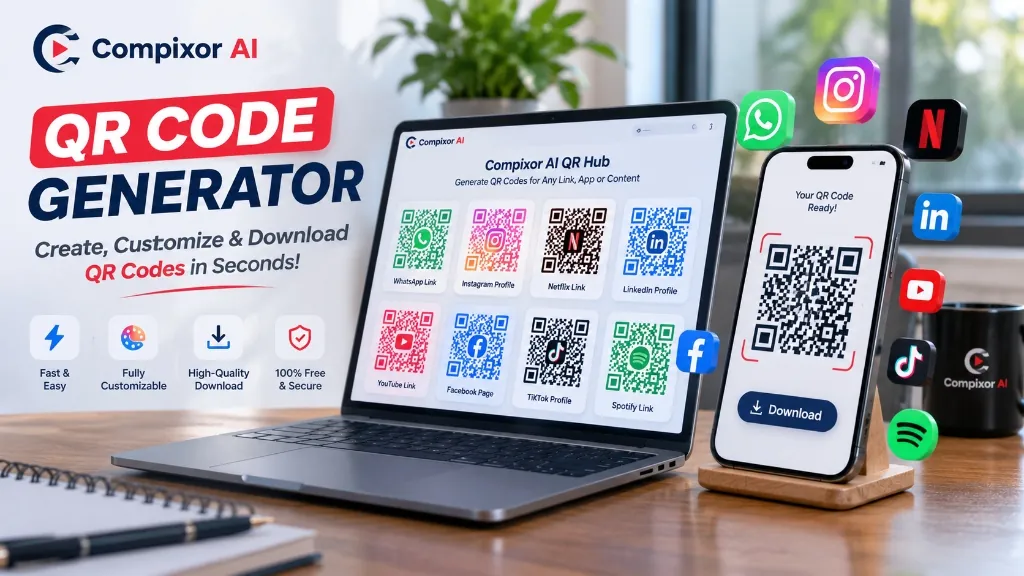
Create a static QR code with your logo, custom colors, SVG export and PNG download in your browser. Adding a logo can make the code more recognizable, but scan reliability depends on the design, scanner and printing conditions. Always test before publishing or printing.
Create a static QR code with an optional logo in your browser. Static codes have no generator-imposed expiry, but the destination must stay active and the design must remain scannable. Test the final code before printing.
100% In-Browser • Zero File Uploads
Try the Free QR Code Generator
Why Custom QR Codes with Logos Dominate Modern Marketing
A logo and brand colors can make a QR code recognizable, but visual styling can reduce scan reliability. QRCode Monkey also offers free static QR codes and SVG exports. Compixor generates static codes locally in your browser; compare provider terms for other features.
- ✓Brand Recognition: Add your own logo and colors, then test the final result.
- ✓Instant In-Browser Generation: Generate and preview custom barcodes in real time directly in your browser RAM with zero server waiting.
- ✓Permanent Static Encoding: Information is burned directly into the matrix modules—meaning your codes never expire and require zero monthly renewals.
- ✓Level H Error Correction: Adding a logo selects Level H; test the final code because scanning is not guaranteed.
- ✓Lossless Vector SVG & 1000px PNG: Export scalable vector files suitable for billboards, apparel, and offset packaging, or high-density PNG for web and screens.
- ✓100% Client-Side Privacy: Your URLs, Wi-Fi passwords, and personal vCard contacts are never logged, tracked, or stored on remote servers.
Static vs. Dynamic QR Codes: The Truth About Expiration Dates
Static codes encode their destination directly and have no generator-imposed expiry. Dynamic codes commonly use a redirect that can be updated; subscription and trial terms vary by provider. QR Code Generator also offers free static codes. A static QR code can still fail if its destination stops working or its design cannot be scanned.
| Feature / Metric | Compixor AI (Static) | Dynamic Barcode Services | Canva / Adobe Free Tier |
|---|---|---|---|
| Code Expiration | No generator-imposed expiry | Depends on provider and plan | Check provider terms |
| Pricing | Free | Depends on provider and plan | Check provider terms |
| Scan Limits | No generator-imposed limit | Depends on provider and plan | Check provider terms |
| Destination | Data encoded directly | Typically uses a redirect | Depends on product |
| Generation | In-browser | Depends on provider | Check provider policy |
| SVG Export | Free SVG | Depends on provider | Check provider terms |
Note:Static codes do not expire through the generator, but the destination must remain active and the code must be readable.
Logo Size: Keep It Small and Test
A large logo may cover important data or alignment patterns. Level H does not guarantee that a particular percentage of the visible image can be covered. Keep your logo small and centered, preserve finder patterns and the quiet zone, and test the finished code on multiple devices at its intended size.
- ✓Start small: Use a modest centered logo and reduce it if any scanner struggles.
- ✓No universal safe percentage: Payload density, logo position, printing and scanners all matter.
- ✓Protect Alignment Targets: Keep the three outer corner finder eyes completely unobstructed.
- ✓Use Square / Circular Assets: Symmetrical brand marks preserve module balance and scan symmetry.
Error Correction Levels: Why Level H Is Mandatory for Logos
QR codes use Reed-Solomon error correction to help recover damaged data. Levels L, M, Q and H offer approximately 7%, 15%, 25% and 30% restoration of total codewords, respectively. These figures are not guarantees for the visible area covered by a logo. Compixor selects Level H when a logo is added; test the finished code on several devices.
| Error Correction Level | Approx. codeword restoration | Typical use |
|---|---|---|
| Level L (Low) | ~7% of total codewords | Clean digital screens, raw data strings, no logos |
| Level M (Medium) | ~15% of total codewords | Standard flyers, clean URLs, minimal styling |
| Level Q (Quartile) | ~25% of total codewords | Moderate industrial wear, subtle center icons |
| Level H (High) | ~30% of total codewords | Custom brand logos, outdoor signage, high-traffic menus |
Color Contrast Rules: Ensure Instant Camera Recognition
Creative styling gives your barcode personality, but violating basic optical contrast rules renders it unreadable. Smartphone cameras rely on high luminance contrast between dark data modules and light background spaces to identify bit states (0s and 1s):
- ✓Maintain at Least 4:1 Contrast: Deep navy, charcoal, dark violet, or forest green on a crisp white or pale background decodes instantaneously.
- ✓Avoid Inverted Schemes: White or yellow modules on a dark background confuse budget mobile cameras and older barcode hardware. Keep the background lighter than the foreground.
- ✓Preserve the 4-Module Quiet Zone: Every code requires a clear, unprinted buffer margin equal to at least 4 module widths around all four edges.
- ✓Dodge Faint Pastels: Light yellow, pastel pink, and faint cyan fail optical thresholding under bright sunlight and dim restaurant lighting.
Test Before You Print: The 5-Point Quality Checklist
Before sending promotional flyers, packaging, menus, or event banners to an offset commercial print shop, run through this verified quality checklist:
- 1Dual-Platform Camera Scan: Scan your test proof with both Apple iOS Camera and Android Google Lens under ordinary room lighting.
- 2Distance & Angle Verification: Test scanning from arm's length (for business cards) and from 3 to 6 feet away (for posters and table tents).
- 3Screen Brightness & Reflection Check: If displaying on digital signage or tablets, verify readability under glare and dim brightness.
- 4Destination URL Validation: Confirm the scanned link opens directly over HTTPS without redirect hops, 404 errors, or broken query parameters.
- 5Physical Size Rule (10:1 Ratio): Ensure handheld print size is at least 2 × 2 cm (0.8 × 0.8 in). For distance viewing, ensure code width is at least one-tenth of the reading distance (e.g., 10 cm wide for a 1-meter viewing distance).
How to Create a Custom QR Code with Logo Online Free (Step by Step)
Follow our simple, ordered tutorial to create a branded vector QR code in under 60 seconds with our free online utility:
- 1Select Your Data Type & Enter Information: Open Compixor QR Code Generator. Choose your preferred data type (Website URL, Wi-Fi network, Google Maps location, vCard contact, or plain text) and input your destination details.
- 2Customize Brand Colors & Styling: Pick custom foreground colors matching your brand palette. Adjust corner eye shapes and module patterns to complement your visual identity while maintaining sharp optical contrast.
- 3Upload Your Logo or Icon: Click to upload your company emblem (transparent PNG or SVG recommended). Our engine automatically configures Reed-Solomon Level H error correction and positions the logo perfectly in the center.
- 4Export Lossless SVG or High-Res PNG: Download an instant, high-resolution PNG for digital social media posts and web headers, or choose scalable SVG for crisp commercial printing and packaging.
Experience Free QR Code Generator
Zero file uploads, no watermarks, and no sign-up required. Your files remain completely secure in device RAM.
Launch Tool in BrowserFrequently Asked Questions
Some dynamic codes depend on a provider redirect and may stop working when a trial or subscription ends. Terms vary by provider. Static codes encode the data directly, but the destination can still become unavailable.
There is no universally safe logo size. Level H provides approximately 30% codeword restoration, not a guarantee that 30% of the image can be covered. Keep the logo small and centered, leave finder patterns and the quiet zone clear, and test the result with several scanners.
Optical camera sensors require high luminance contrast to distinguish dark data modules from the light background. Maintain a contrast ratio of at least 4:1 (ideally 7:1+). Avoid pairing light pastel dots with white backgrounds, or dark navy dots with black backgrounds. Dark foreground colors (black, navy, deep purple, forest green) against a clean white or light background provide near-instant scanning.
While newer iPhone and Android camera systems can decode inverted QR codes, many older smartphones and built-in budget barcode scanners fail to recognize them. Standard QR specifications assume dark modules on a light background. For reliable public scanning on product packaging and flyers, always use dark foreground patterns on a light or white background.
Raster image formats like PNG and JPEG have a fixed pixel grid; scaling a 1000px PNG onto a 6-foot trade show banner causes blurry, fuzzy edges that optical phone sensors struggle to parse. Vector SVG uses mathematical paths that remain infinitely crisp at any physical scale, from a tiny 1-inch product sticker to a highway billboard.
QR codes use 2D Reed-Solomon algebraic error correction. The algorithm adds redundant polynomial data parity blocks across the matrix. When a camera scans an obstructed code (such as one with an embedded center logo or a scratched poster), the decoder solves the error-correcting equations to mathematically reconstruct the missing payload in milliseconds.
The Quiet Zone is the clear, unprinted border surrounding all four sides of a QR code. By international ISO/IEC 18004 standards, it must be at least 4 module widths wide. If artwork, text, or paper edges touch the outer data squares, camera sensors cannot determine where the barcode begins and ends, causing scan failure.
No. In a static QR code, the destination URL is permanently etched into the geometric pattern modules. Once printed, the code cannot be edited. If you anticipate changing your landing page in the future, point the QR code to a custom branded shortlink or permanent domain route (e.g. yourdomain.com/menu) where you can manage the redirect independently on your own server.
Always print a 100% scale paper proof. Test scanning with both native iOS Camera and Android Google Lens under ordinary room lighting, low ambient lighting, and at an angle from 3 to 5 feet away. Verify that the link opens directly over HTTPS without redirects or broken tracking parameters.
Scan speed varies with the device, lighting, size, contrast, payload and design. Keep the logo small, preserve the quiet zone, and test the final code on several devices.
Print at least 3 × 3 cm in size on 250 GSM cardstock, apply a matte or soft-touch lamination to eliminate overhead glare from ceiling lamps, place a clear call-to-action above the code ('Scan for Menu'), and test with older guest smartphones before rolling out across all dining tables.
When using cloud-based QR generators, your internal Wi-Fi passwords, corporate intranet URLs, and personal contact info are sent to external web servers where they can be intercepted, logged, or indexed. Compixor renders the entire QR code locally in your device RAM using client-side JavaScript, ensuring 100% private zero-leak execution.
Ready to test it yourself?
Process your files locally in your browser with zero limits, zero watermarks, and complete privacy.

Haroon Ali
Written by Haroon Ali • Compixor AI Editorial